


Not only can you run Windows Azure virtual machines (VMs) that are domain joined or run as a stand-alone (non-domain joined) server in a workgroup, but you can also run Azure AD joined Azure VMs.
When you are performing management tasks or troubleshooting one of these VMs, it can be useful to know in what join state a specific VM (Device State) is running at this exact moment. In this blog post, I show you how you can quickly find this out via the use of the Azure Portal.
Azure Portal
Log on to the Azure Portal and type “vm” in the Global search bar. Then click on Virtual machines.

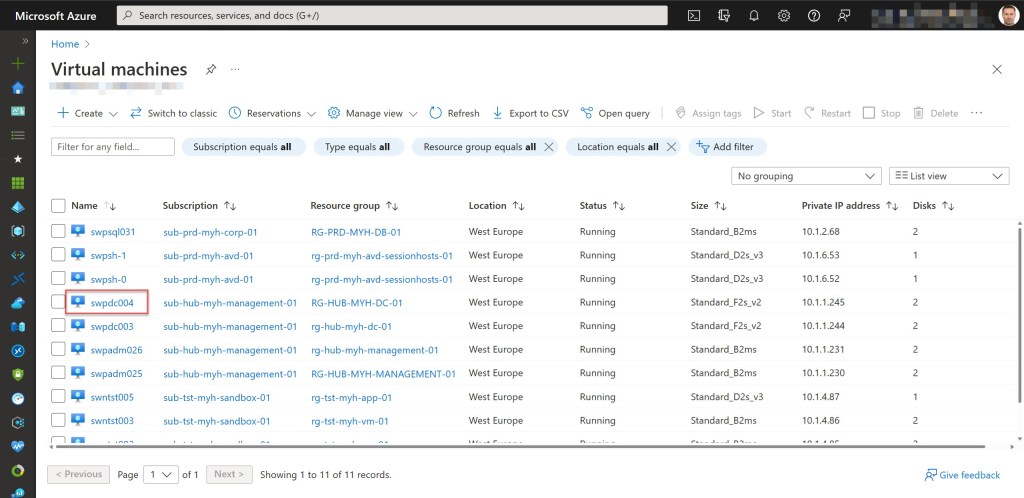
Click on the VM Name of the VM from which you want to know the device join state (in my example, swpdc004).
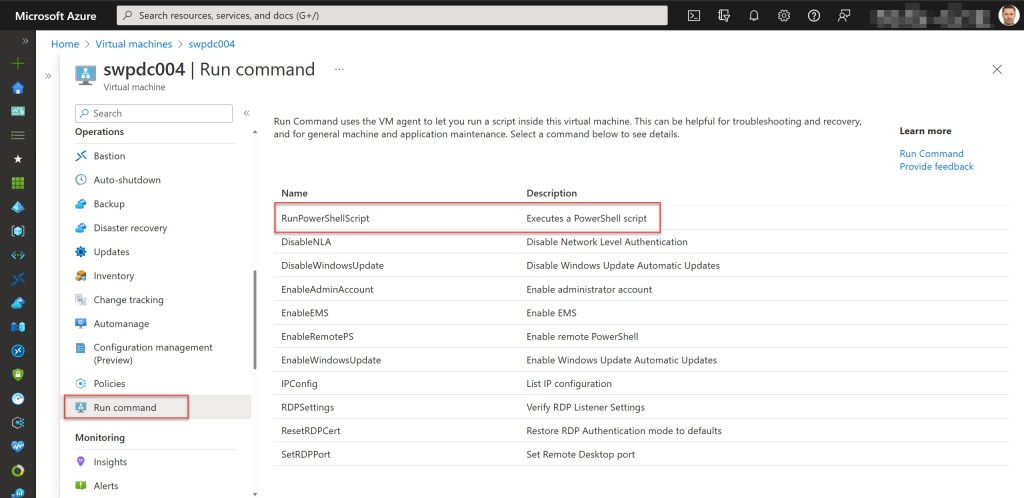
On the Virtual machine page, select Run command under the Operations section. Then, on the Run command window, in the list of available commands, click on RunPowerShellScript.
The Run Command Script window will open as a side-window, and here you need to type in the following command:
dsregcmd /status


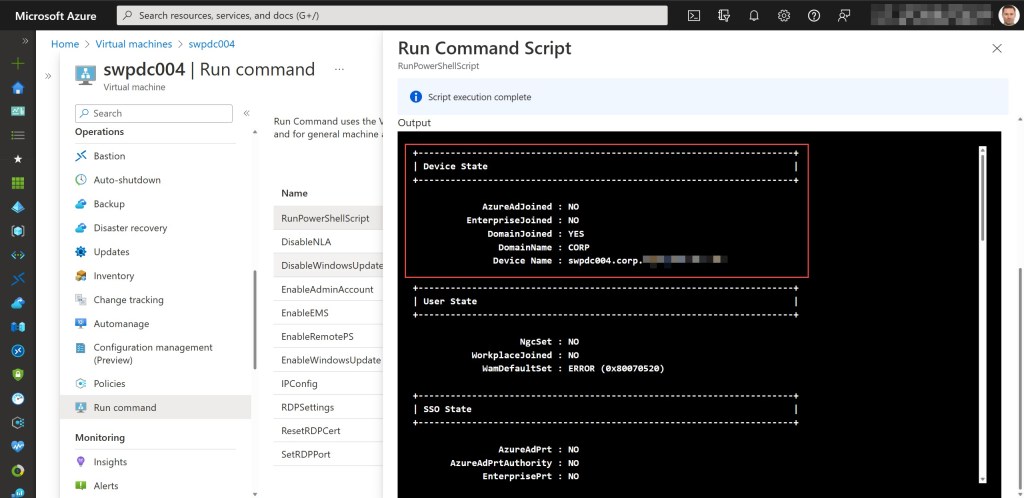
After the command finishes, it returns the output, and you should be able to find the current Device State of the server. In the example, you can see that server swpdc004 is domain-joined, as well as the domain to which it is joined.
If we run the same command on another Azure VM in my environment (swnts002), you can see that this server, for example, is Azure AD joined.

I hope this tip helps you and comes in handy whenever you quickly need to find out the current device join state of an Azure VM.
 Wim Matthyssen
0 comments on “Azure Tip: Quickly find out if an Azure VM is domain joined or not via the Azure Portal”