
This blog post will show you how you can switch Azure Bastion from the Standard SKU to the Basic SKU (tier) via the use of an Azure PowerShell script.
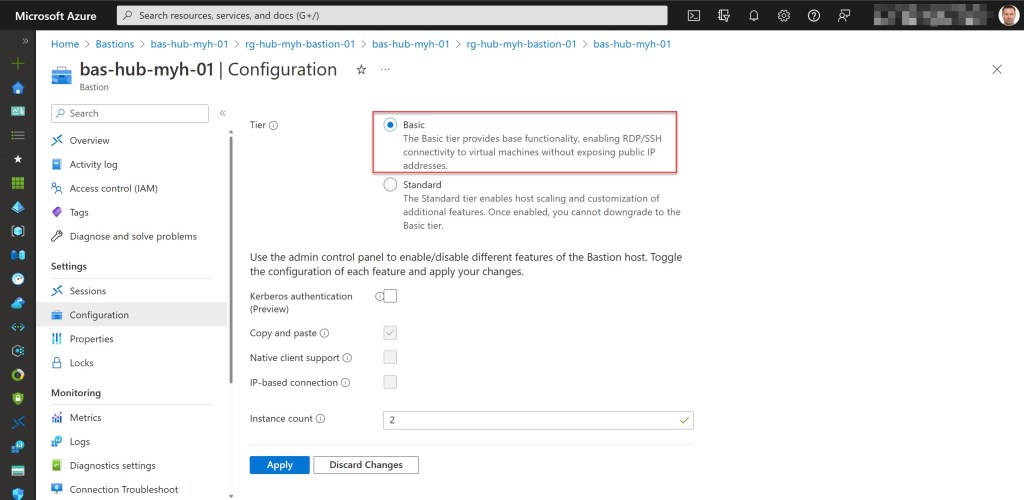
Currently, Azure Bastion is available in two SKUs: Basic and Standard.
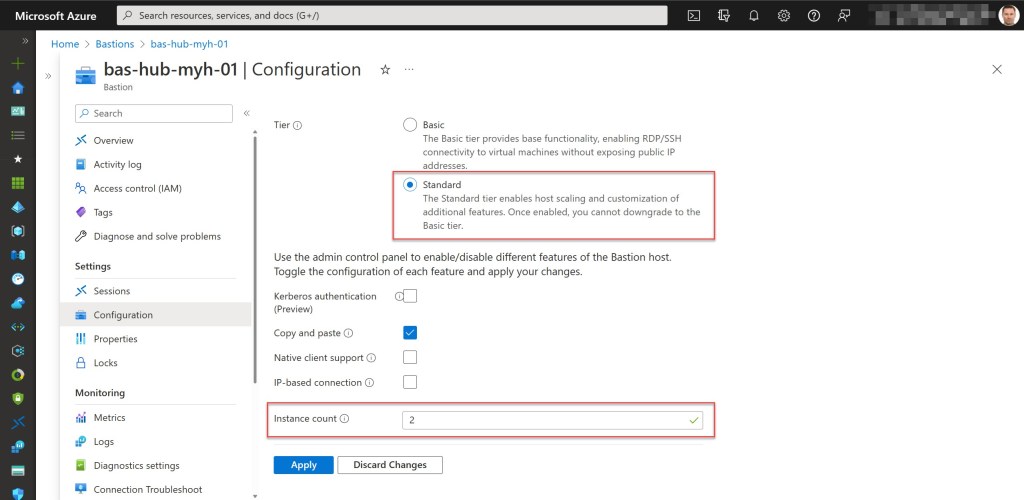
- The Basic SKU provides basic functionality, which enables Azure Bastion to manage RDP/SSH connectivity to virtual machines (VMs) without exposing public IP addresses (PIPs) on any of those VMs.
- The Standard SKU enables premium features, like host scaling, specifying custom inbound ports when using Azure Bastion, etc.
These days, you can easily upgrade from the Basic SKU to the Standard SKU in the Azure Portal or with Azure PowerShell*.
* In a previous blog post, I already wrote an Azure PowerShell script that upgrades a bastion host from the Basic SKU to the Standard SKU. If you want, you can take a look at it over here: Azure Bastion: Upgrade Basic SKU to Standard SKU with Azure PowerShell
However, downgrading from the Standard SKU to the Basic SKU is not possible and is not supported at the moment.

Table of Contents
Setting the Scene
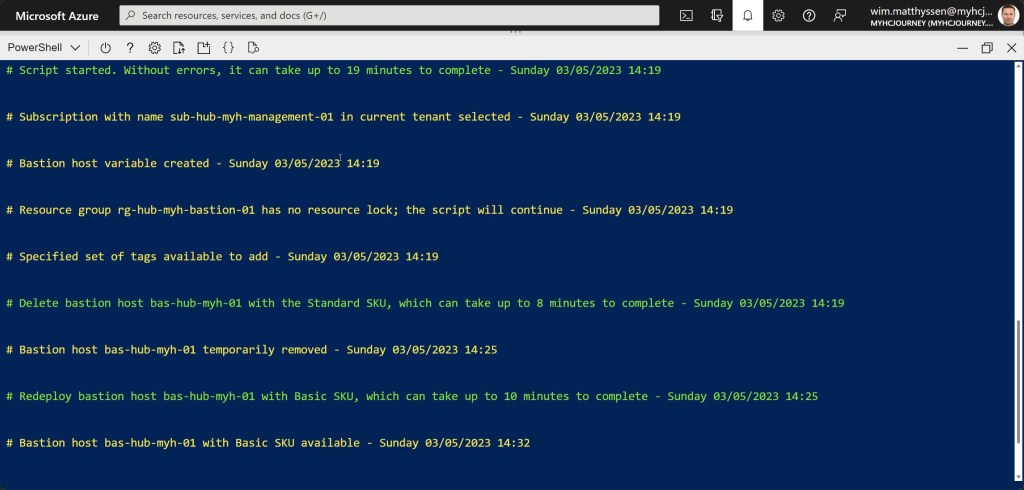
To switch an Azure Bastion host from Standard SKU to Basic SKU, you’ll need to delete and recreate the Bastion host. To automate and speed up this process, I’ve developed the following Azure PowerShell script, which performs the following tasks:
- Remove the breaking change warning messages.
- Change the current context to the subscription holding the Azure Bastion host, if the subscription exists; otherwise, exit the script.
- Save the Bastion host if it exists in the subscription as a variable and check if it uses the Basic SKU; if so, exit the script; otherwise the script will continue.
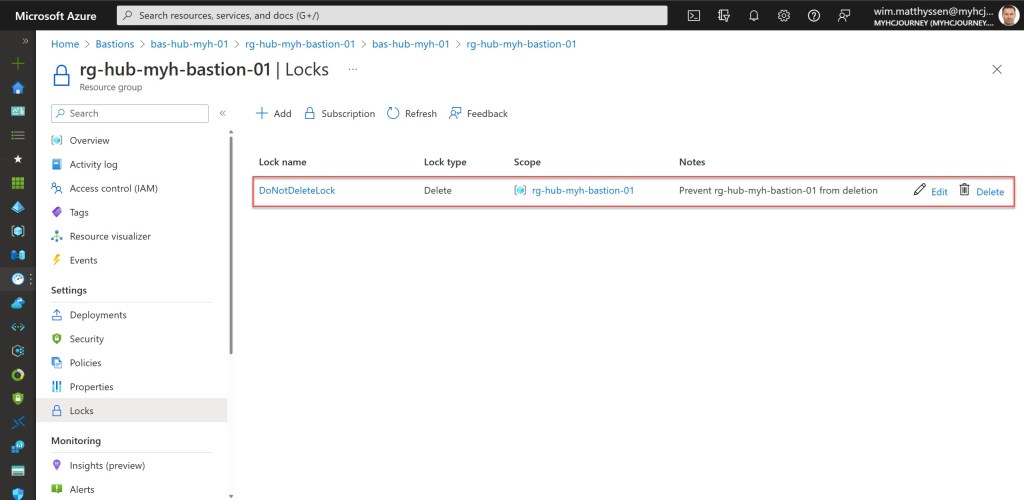
- Check if the Bastion resource group has a resource lock; if so, remove the resource lock.
- Store the specified set of Azure Bastion host tags in a hash table.
- Delete the Azure Bastion host with the Standard SKU.
- Redeploy the same Azure Bastion host with the Basic SKU.
- Lock the Azure Bastion resource group with a CanNotDelete lock.
To make use of the script, either copy and save it as Switch-AzureBastion-Standard-SKU-to-Basic-SKU.ps1 or download it from GitHub. Afterward, execute the script using Windows Terminal, Visual Studio Code, or Windows PowerShell. Alternatively, you can directly run it from Cloud Shell.
If you want, you can also look at my previous blog posts, which can help you securely deploy and configure Azure Bastion and all associated resources: Azure Bastion: Azure PowerShell deployment script, Azure Bastion: Set the minimum required roles to access a virtual machine; and Azure Bastion: Set Azure Bastion NSG Inbound security rules on the Target VM Subnet with Azure PowerShell
Prerequisites
- An Azure subscription.
- An Azure Administrator account with the required RBAC roles. Note that, in order to remove an Azure resource lock, you must possess Owner or User Access Administrator permissions.
- An existing Azure Bastion host.
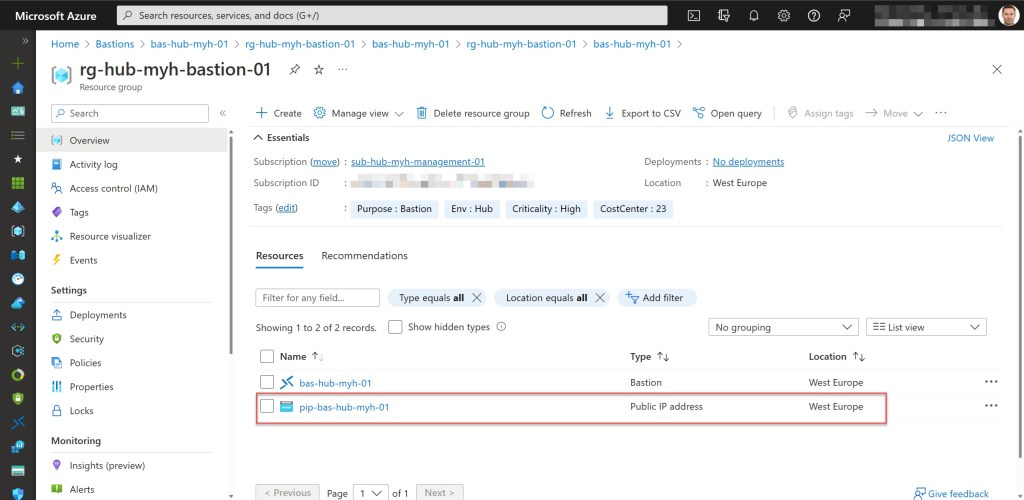
- The Azure Bastion host’s Public IP Address (PIP) must be located in the same resource group as your Azure Bastion host.
- At least Azure Az PowerShell module version 10.4.1 and Az.Network module version 6.2.0 are required.
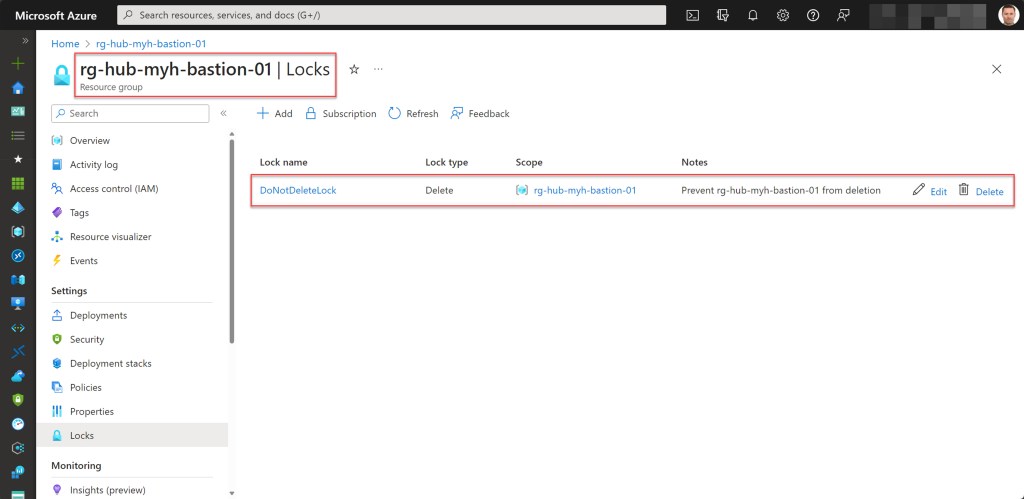
- Adjust the resource lock name ($lockName) variable in the script as necessary to suit your requirements; you’ll find a modified example in one of the screenshots below.
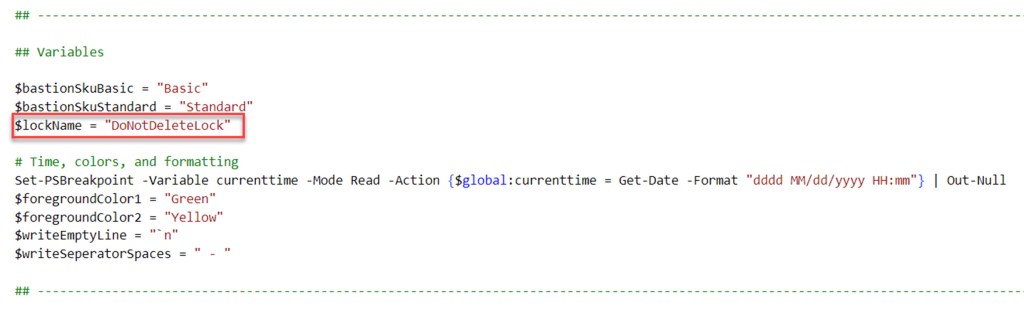
Azure PowerShell script
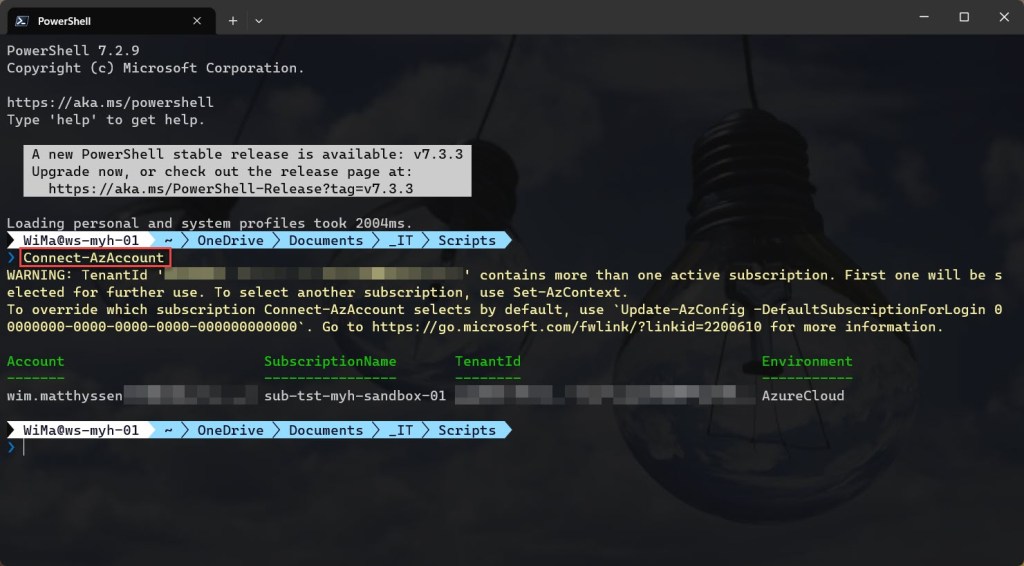
If you’re not using Cloud Shell, remember to sign in with the Connect-AzAccount cmdlet to establish a connection with your Azure account.
If you wish to validate or determine the Bastion SKU for your Bastion host before executing the script, all without having to open the Azure Portal, start by setting the context to the subscription that contains the Azure Bastion host(s). Next, run the following Azure PowerShell cmdlets:
 ## ---------------------------------------------------------------------------------------------------------------------------------------------------------------------------------------------

$bastion = Get-AzBastion  | Where-Object Name -Match bas
$bastionSku = $bastion.SkuText
Write-Host $bastionSku

## ---------------------------------------------------------------------------------------------------------------------------------------------------------------------------------------------
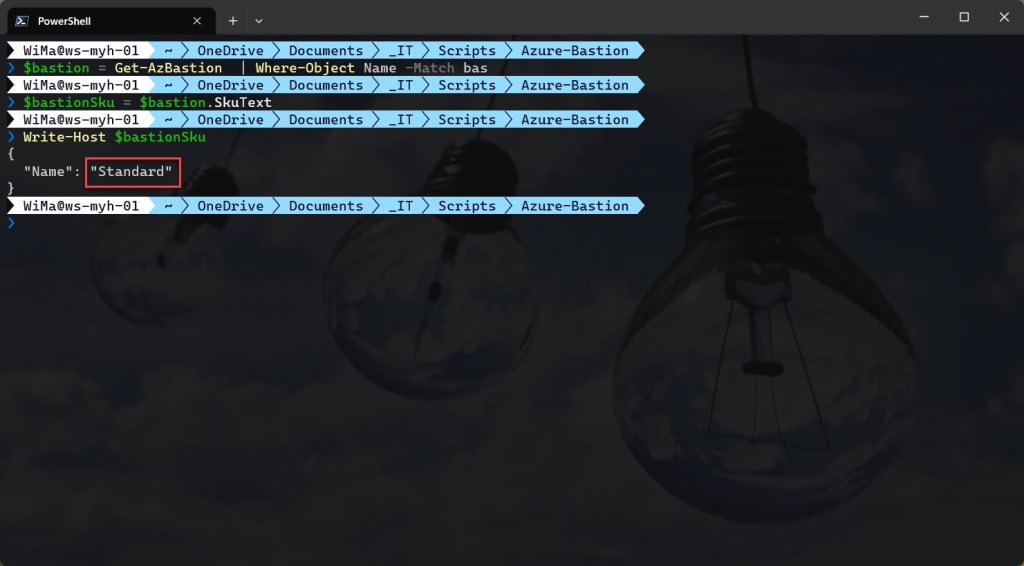
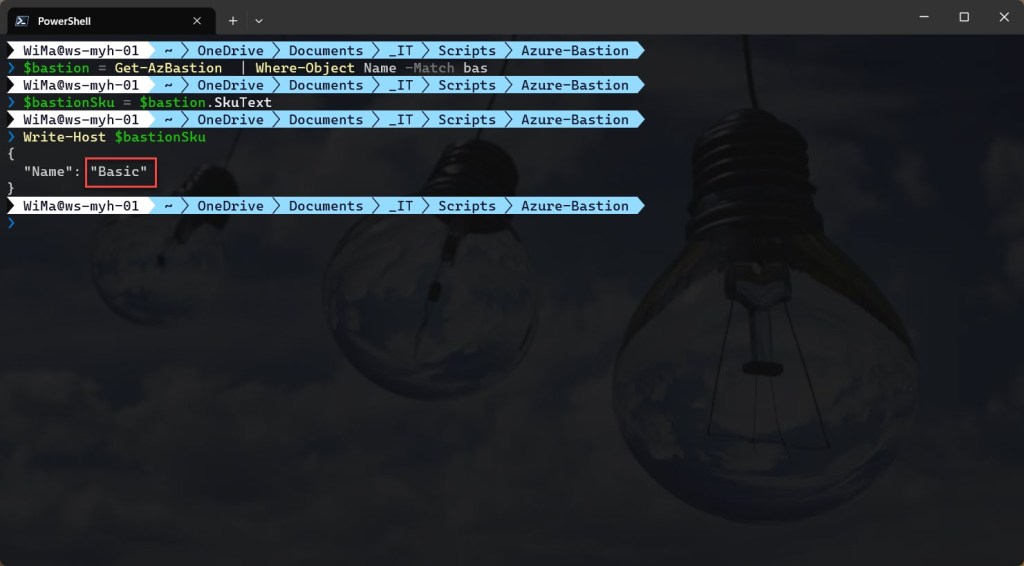
You can then run the script with the required parameters:
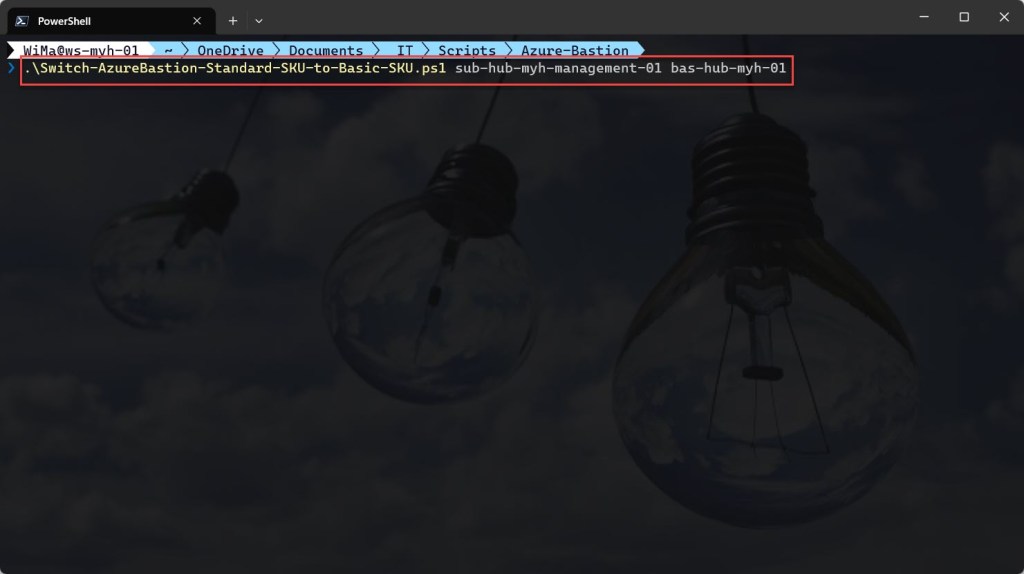
.\Switch-AzureBastion-Standard-SKU-to-Basic-SKU.ps1 <"your azure bastion host subscription name here"> <"your bastion host name here">
<#
.SYNOPSIS

A script used to switch an Azure Bastion host with the Standard SKU to the Basic SKU.

.DESCRIPTION

A script used to switch an Azure Bastion host with the Standard SKU to the Basic SKU.
The script will do all of the following:

Remove the breaking change warning messages.
Change the current context to the subscription holding the Azure Bastion host, if the subscription exists; otherwise, exit the script.
Save the Bastion host if it exists in the subscription as a variable and check if it uses the Basic SKU; if so, exit the script; otherwise, the script will continue.
Check if the Bastion resource group has a resource lock; if so, remove the resource lock.
Store the specified set of Azure Bastion host tags in a hash table.
Delete the Azure Bastion host with the Standard SKU.
Redeploy the same Azure Bastion host with the Basic SKU.
Lock the Azure Bastion resource group with a CanNotDelete lock.

** Keep in mind that running this script can take up to 19 minutes. **
** To remove an Azure resource lock, you'll need Owner or User Access Administrator permissions. **

.NOTES

Filename:       Switch-AzureBastion-Standard-SKU-to-Basic-SKU.ps1
Created:        04/10/2022
Last modified:  30/11/2023
Author:         Wim Matthyssen
Version:        3
PowerShell:     Azure PowerShell and Azure Cloud Shell
Requires:       PowerShell Az (v10.4.1)
Action:         Change variables were needed to fit your needs.
Disclaimer:     This script is provided "as is" with no warranties.

.EXAMPLE

Connect-AzAccount
Get-AzTenant (if not using the default tenant)
Set-AzContext -tenantID "<xxxxxxxx-xxxx-xxxx-xxxxxxxxxxxx>" (if not using the default tenant)
.\Switch-AzureBastion-Standard-SKU-to-Basic-SKU.ps1 <"your azure bastion host subscription name here"> <"your bastion host name here">

-> .\Switch-AzureBastion-Standard-SKU-to-Basic-SKU.ps1 sub-hub-myh-management-01 bas-hub-myh-01

.LINK

https://wmatthyssen.com/2022/10/05/azure-bastion-switch-standard-sku-to-basic-sku-with-azure-powershell/
#>

## ---------------------------------------------------------------------------------------------------------------------------------------------------------------------------------------------

## Parameters

param(
    # $subscriptionName -> Name of the subscription holding the Azure Bastion host
    [parameter(Mandatory =$true)][ValidateNotNullOrEmpty()] [string] $subscriptionName,
    # $bastionName -> Name of the Azure Bastion host
    [parameter(Mandatory =$true)][ValidateNotNullOrEmpty()] [string] $bastionName
)

## ---------------------------------------------------------------------------------------------------------------------------------------------------------------------------------------------

## Variables

$bastionSkuBasic = "Basic"
$bastionSkuStandard = "Standard"
$lockName = #<your Bastion resource group resource lock name here> The existing Bastion resource group resource lock name. Example: "DoNotDeleteLock"

# Time, colors, and formatting
Set-PSBreakpoint -Variable currenttime -Mode Read -Action {$global:currenttime = Get-Date -Format "dddd MM/dd/yyyy HH:mm"} | Out-Null
$foregroundColor1 = "Green"
$foregroundColor2 = "Yellow"
$writeEmptyLine = "`n"
$writeSeperatorSpaces = " - "

## ---------------------------------------------------------------------------------------------------------------------------------------------------------------------------------------------

## Remove the breaking change warning messages

Set-Item -Path Env:\SuppressAzurePowerShellBreakingChangeWarnings -Value $true | Out-Null
Update-AzConfig -DisplayBreakingChangeWarning $false | Out-Null
$warningPreference = "SilentlyContinue"

## ---------------------------------------------------------------------------------------------------------------------------------------------------------------------------------------------

## Write script started

Write-Host ($writeEmptyLine + "# Script started. Without errors, it can take up to 19 minutes to complete" + $writeSeperatorSpaces + $currentTime)`
-foregroundcolor $foregroundColor1 $writeEmptyLine

## ---------------------------------------------------------------------------------------------------------------------------------------------------------------------------------------------

## Change the current context to the subscription holding the Azure Bastion host, if the subscription exists; otherwise, exit the script

Get-AzSubscription -SubscriptionName $subscriptionName -ErrorVariable subscriptionNotPresent -ErrorAction SilentlyContinue | Out-Null

if ($subscriptionNotPresent) {
    Write-Host ($writeEmptyLine + "# Subscription with name $subscriptionName does not exist in the current tenant" + $writeSeperatorSpaces + $currentTime)`
    -foregroundcolor $foregroundColor3 $writeEmptyLine
    Start-Sleep -s 3
    Write-Host -NoNewLine ("# Press any key to exit the script ..." + $writeEmptyLine)`
    -foregroundcolor $foregroundColor1 $writeEmptyLine;
    $Host.UI.RawUI.ReadKey("NoEcho,IncludeKeyDown") | Out-Null;
    return
} else {
    Set-AzContext -Subscription $subscriptionName | Out-Null
    Write-Host ($writeEmptyLine + "# Subscription with name $subscriptionName in current tenant selected" + $writeSeperatorSpaces + $currentTime)`
    -foregroundcolor $foregroundColor2 $writeEmptyLine
}

## ---------------------------------------------------------------------------------------------------------------------------------------------------------------------------------------------

## Save the Bastion host if it exists in the subscription as a variable and check if it uses the Basic SKU; if so, exit the script; otherwise, the script will continue

$bastion = Get-AzBastion | Where-Object Name -Match $bastionName

# Check if a Bastion host exists in the subscription; otherwise, exit the script
if ($null -eq $bastion){
    Write-Host ($writeEmptyLine + "# No Bastion host exists in the current subscription, please select the correct context and rerun the script" + $writeSeperatorSpaces + $currentTime)`
    -foregroundcolor $foregroundColor3 $writeEmptyLine
    Start-Sleep -s 3
    Write-Host -NoNewLine ("# Press any key to exit the script ..." + $writeEmptyLine)`
    -foregroundcolor $foregroundColor1 $writeEmptyLine;
    $Host.UI.RawUI.ReadKey("NoEcho,IncludeKeyDown") | Out-Null;
    return
}

# Check if the Bastion host is running the Standard SKU; otherwise, exit the script
if ($bastion.SkuText.Contains("Basic")) {
    Write-Host ($writeEmptyLine + "# Bastion host already using the Basic SKU" + $writeSeperatorSpaces + $currentTime)`
    -foregroundcolor $foregroundColor3 $writeEmptyLine
    Start-Sleep -s 3
    Write-Host -NoNewLine ("# Press any key to exit the script ..." + $writeEmptyLine)`
    -foregroundcolor $foregroundColor1 $writeEmptyLine;
    $Host.UI.RawUI.ReadKey("NoEcho,IncludeKeyDown") | Out-Null;
    return
}

Write-Host ($writeEmptyLine + "# Bastion host variable created" + $writeSeperatorSpaces + $currentTime)`
-foregroundcolor $foregroundColor2 $writeEmptyLine

## ---------------------------------------------------------------------------------------------------------------------------------------------------------------------------------------------

## Check if the Bastion resource group has a resource lock; if so, remove the resource lock

$rgNameBastion = $bastion.ResourceGroupName
$lock = Get-AzResourceLock -ResourceGroupName $rgNameBastion

# Check if resource lock exists
if ($null -ne $lock){
    Write-Host ($writeEmptyLine + "# Bastion resource group $rgNameBastion has a resource lock; this will now be removed" + $writeSeperatorSpaces + $currentTime)`
    -foregroundcolor $foregroundColor1 $writeEmptyLine
    # Remove the resource lock
    Remove-AzResourceLock -LockName $lockName -ResourceGroupName $bastion.ResourceGroupName -Force | Out-Null
}

Write-Host ($writeEmptyLine + "# Resource group $rgNameBastion has no resource lock; the script will continue" + $writeSeperatorSpaces + $currentTime)`
-foregroundcolor $foregroundColor2 $writeEmptyLine

## ---------------------------------------------------------------------------------------------------------------------------------------------------------------------------------------------

## Store the specified set of Azure Bastion host tags in a hash table

$bastionTags = (Get-AzResource -ResourceGroupName $rgNameBastion -ResourceName $bastion.Name).Tags

Write-Host ($writeEmptyLine + "# Specified set of tags available to add" + $writeSeperatorSpaces + $currentTime)`
-foregroundcolor $foregroundColor2 $writeEmptyLine

## ---------------------------------------------------------------------------------------------------------------------------------------------------------------------------------------------

## Delete the Azure Bastion host with the Standard SKU

Write-Host ($writeEmptyLine + "# Delete bastion host $bastionName with the $bastionSkuStandard SKU, which can take up to 8 minutes to complete" + $writeSeperatorSpaces + $currentTime)`
-foregroundcolor $foregroundColor1 $writeEmptyLine

$bastionName = $bastion.Name

Remove-AzBastion -InputObject $bastion -Force | Out-Null

Write-Host ($writeEmptyLine + "# Bastion host $bastionName temporarily removed" + $writeSeperatorSpaces + $currentTime)`
-foregroundcolor $foregroundColor2 $writeEmptyLine

## ---------------------------------------------------------------------------------------------------------------------------------------------------------------------------------------------

## Redeploy the same Azure Bastion host with the Basic SKU

$pipNameBastion = Get-AzPublicIpAddress -ResourceGroupName $bastion.ResourceGroupName

# Get the virtual network with the AzureBastionSubnet
$virtualNetwork = Get-AzVirtualNetwork | Where-Object {$_.Subnets -ne $null -and $_.Subnets.Name -contains "AzureBastionSubnet"}

if ($null -ne $virtualNetwork) {
    $vnetName = $virtualNetwork.Name
    $rgNameNetworking = $virtualNetwork.ResourceGroupName
} else {
    Write-Host ($writeEmptyLine + "# Virtual network with 'AzureBastionSubnet' not found." + $writeSeperatorSpaces + $currentTime)`
    -foregroundcolor $foregroundColor2 $writeEmptyLine
    Start-Sleep -s 3
    Write-Host -NoNewLine ("# Press any key to exit the script ..." + $writeEmptyLine)`
    -foregroundcolor $foregroundColor1 $writeEmptyLine;
    $Host.UI.RawUI.ReadKey("NoEcho,IncludeKeyDown") | Out-Null;
    return
}

Write-Host ($writeEmptyLine + "# Redeploy bastion host $bastionName with $bastionSkuBasic SKU, which can take up to 10 minutes to complete" + $writeSeperatorSpaces + $currentTime)`
-foregroundcolor $foregroundColor1 $writeEmptyLine

# Redeploy Bastion host with Basic SKU
New-AzBastion -ResourceGroupName $bastion.ResourceGroupName -Name $bastion.Name -PublicIpAddress $pipNameBastion -VirtualNetworkRgName $rgNameNetworking `
-VirtualNetworkName $vnetName -Sku $bastionSkuBasic | Out-Null

# Set tags on Bastion host
Set-AzBastion -InputObject $bastion -Tag $bastionTags -Force | Out-Null

Write-Host ($writeEmptyLine + "# Bastion host $bastionName with $bastionSkuBasic SKU available" + $writeSeperatorSpaces + $currentTime)`
-foregroundcolor $foregroundColor2 $writeEmptyLine

## ---------------------------------------------------------------------------------------------------------------------------------------------------------------------------------------------

## Lock the Azure Bastion resource group with a CanNotDelete lock

$lock = Get-AzResourceLock -ResourceGroupName $rgNameBastion

if ($null -eq $lock){
    New-AzResourceLock -LockName $lockName -LockLevel CanNotDelete -ResourceGroupName $rgNameBastion -LockNotes "Prevent $rgNameBastion from deletion" -Force | Out-Null
    }

Write-Host ($writeEmptyLine + "# Resource group $rgNameBastion locked" + $writeSeperatorSpaces + $currentTime)`
-foregroundcolor $foregroundColor2 $writeEmptyLine

## ---------------------------------------------------------------------------------------------------------------------------------------------------------------------------------------------

## Write script completed

Write-Host ($writeEmptyLine + "# Script completed" + $writeSeperatorSpaces + $currentTime)`
-foregroundcolor $foregroundColor1 $writeEmptyLine

## ---------------------------------------------------------------------------------------------------------------------------------------------------------------------------------------------

Conclusion
Up until now, there hasn’t been a straightforward or clickable method to downgrade your Azure Bastion host from a standard SKU to a Basic SKU.
Therefore, I hope that this Azure PowerShell script proves helpful whenever you find the need to switch an existing Bastion host from the Standard SKU to the Basic SKU.
Should you have any questions or recommendations about it, please don’t hesitate to reach out to me via my X handle (@wmatthyssen) or to just leave a comment.
 Wim Matthyssen
0 comments on “Azure Bastion: Switch Standard SKU to Basic SKU with Azure PowerShell”