

The Windows Sysinternals tool BgInfo, is a free tool from Microsoft which captures system information form a workstation or server (probably where it is the most useful) and displays that relevant data directly on the desktop of that particular machine.
In September 2021, Microsoft released Windows Server 2022, which is the new long-term servicing channel release of Windows Server.
You can download BgInfo v4.28 over here or you can use my BgInfo deployment script I wrote some time ago.
If you are interested, you can also read more about the new features in Windows Server 2022 on the following Microsoft Docs page.
Although the current version of BgInfo, version 4.28, works on a Windows Server 2022 server, it does not report het OS Version correctly. Like you can see on the screenshot below, on a running Windows Server 2022 the OS Version variable reports Windows Server 2016.
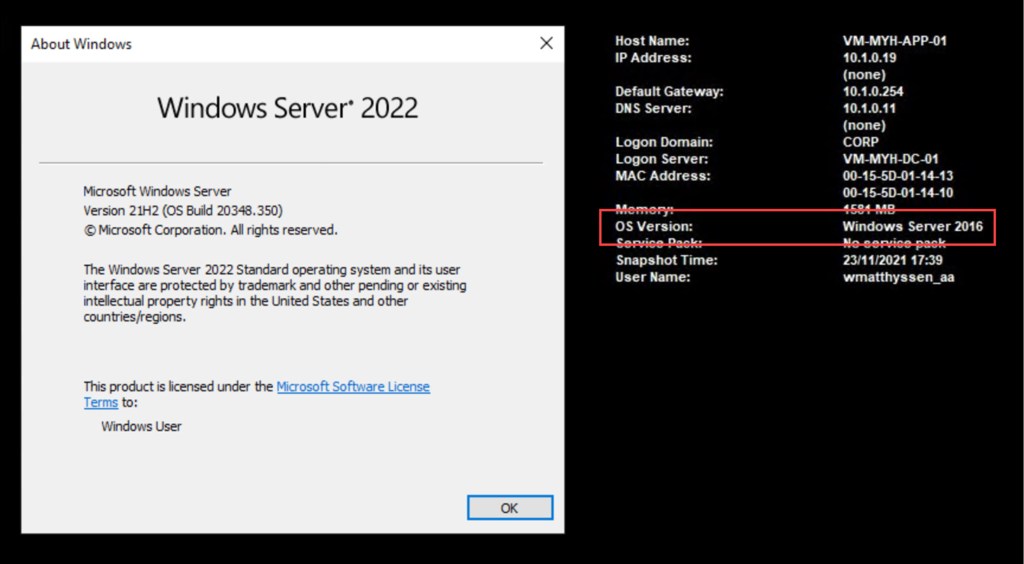
Until Microsoft releases a new version of the BgInfo tool, which solves this “mis reporting”, there is luckily a workaround which you can use to report Windows Server 2022 correctly.
Workaround
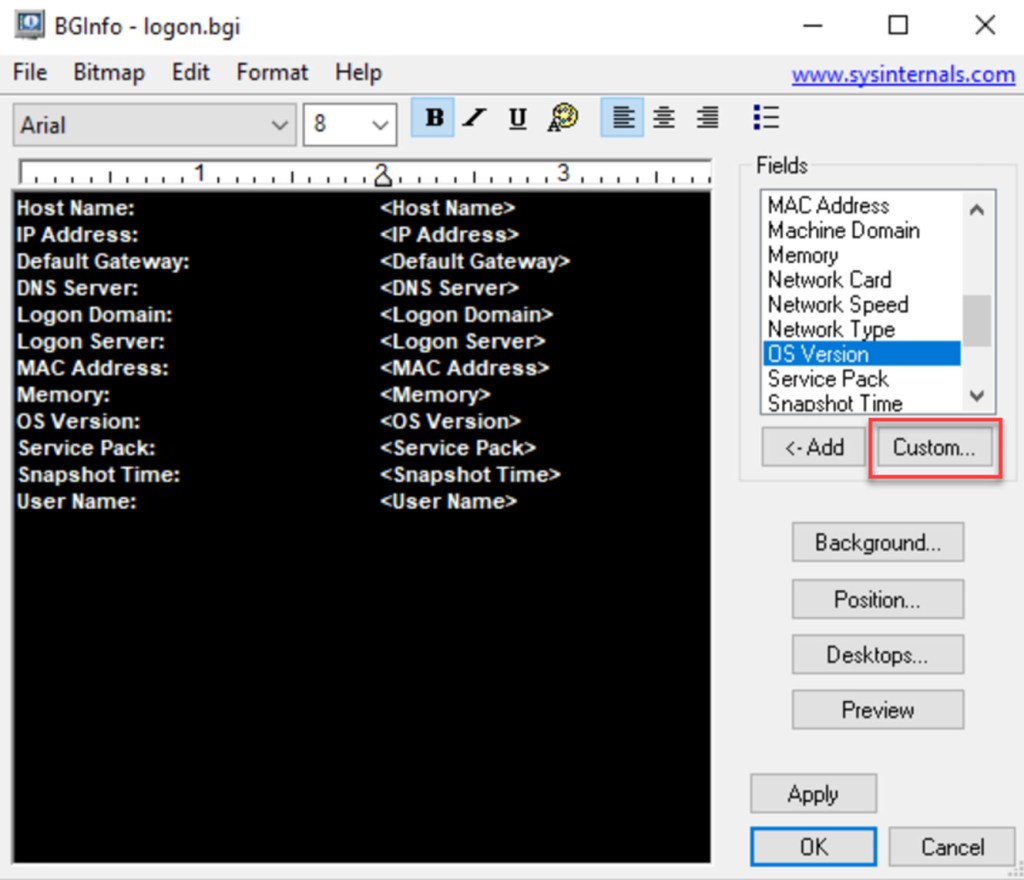
Open Bginfo.exe, or in my case logon.bgi (which holds my preferred BgInfo configuration settings).

On the opened BGInfo window select Custom…
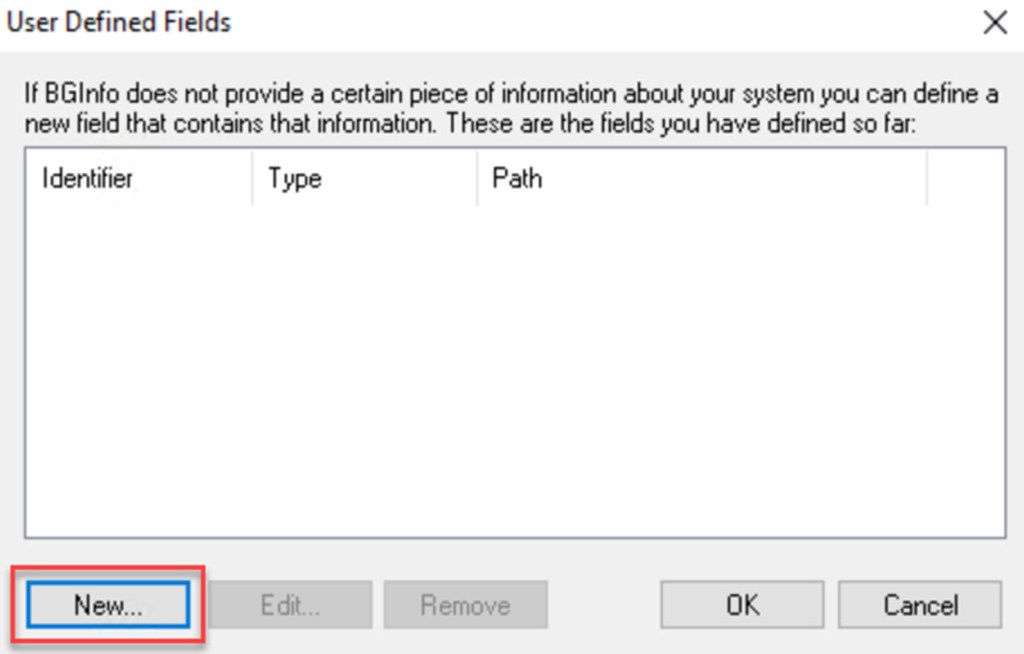
On the User Defined Fields window click on New…
Now specify your Identifier name, logically you would use OS or something similar (you can’t use OS Version because this is a fixed variable) and select WMI Query. Then copy the below command and paste in the Path field. Then click OK.
SELECT Caption FROM Win32_OperatingSystem

Then click on OK on the User Defined Fields window.
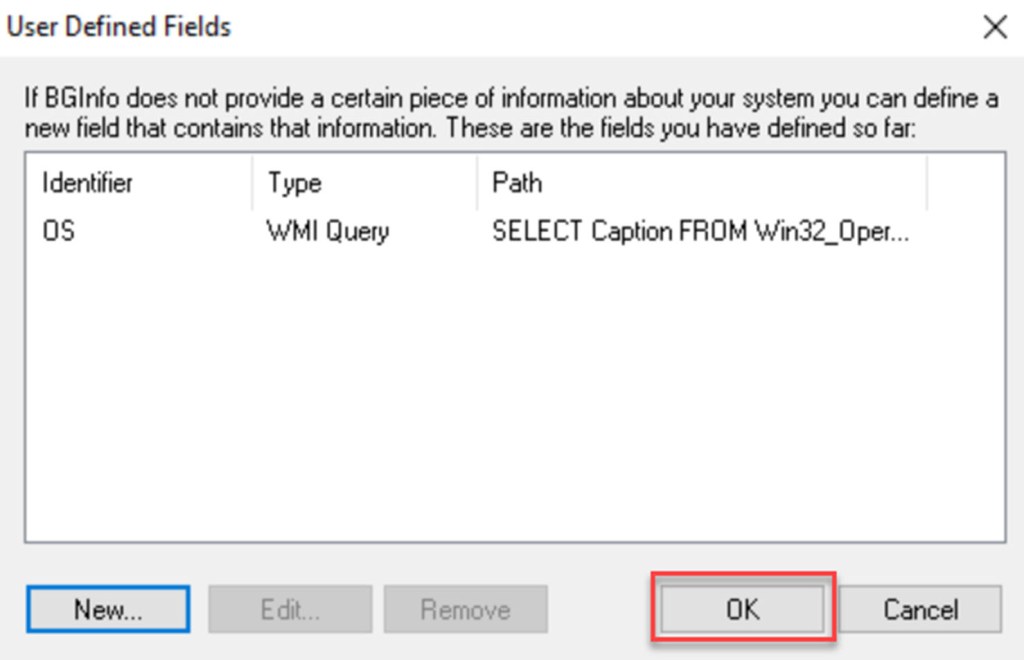
Now you can find the customized field (in my case OS) under the Fields list on the BGInfo main window, from where you can <-Add it to your customized file.

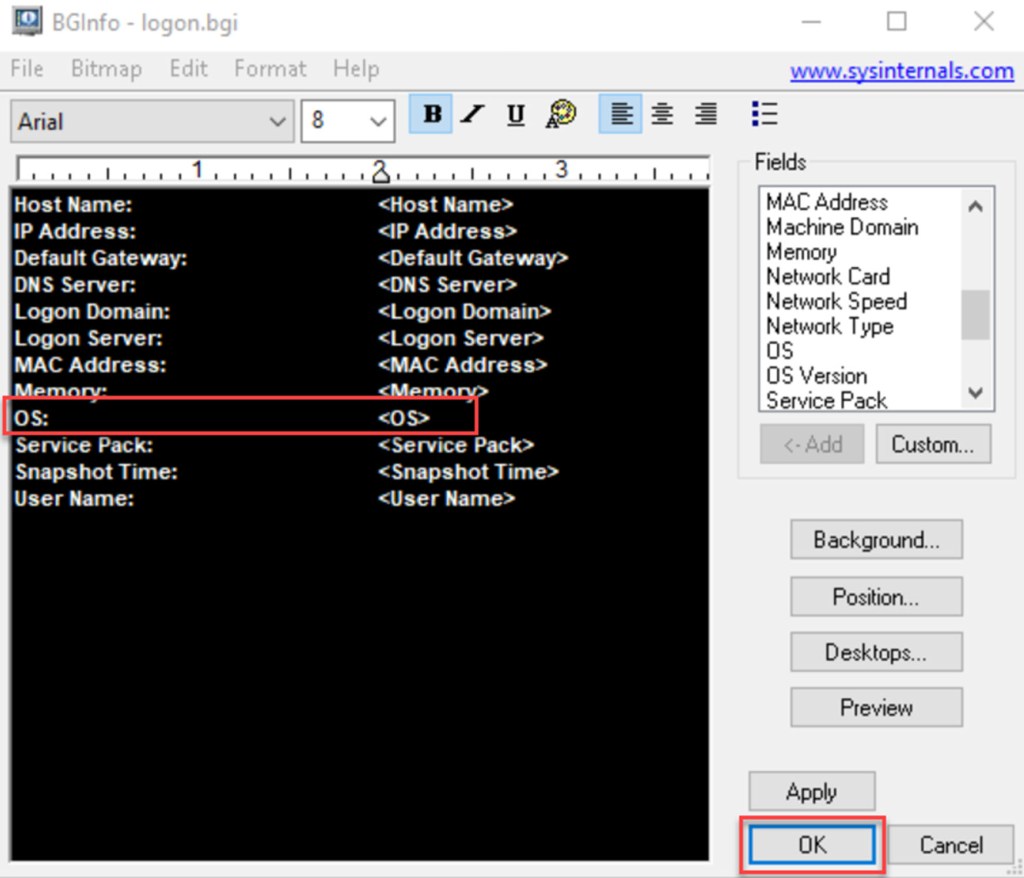
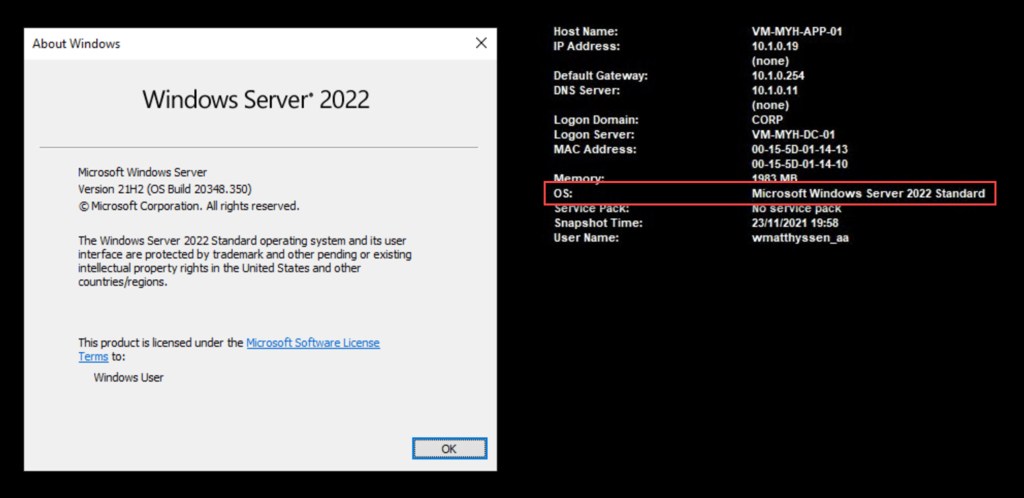
When you add it and click on OK, you will see that BgInfo will now report Windows Server 2022 correctly.
Conclusion
The current version of BgInfo, v4.28, does not report Windows Server 2022 correctly. Luckily there is a workaround where you can use a specific WMI Query to fix this.
And hopefully this misreporting will be fixed by Microsoft in a next BgInfo release.
 Wim Matthyssen
Pingback: PowerShell: BgInfo deployment script for Windows Server 2016, 2019 and 2022 – Wim Matthyssen