

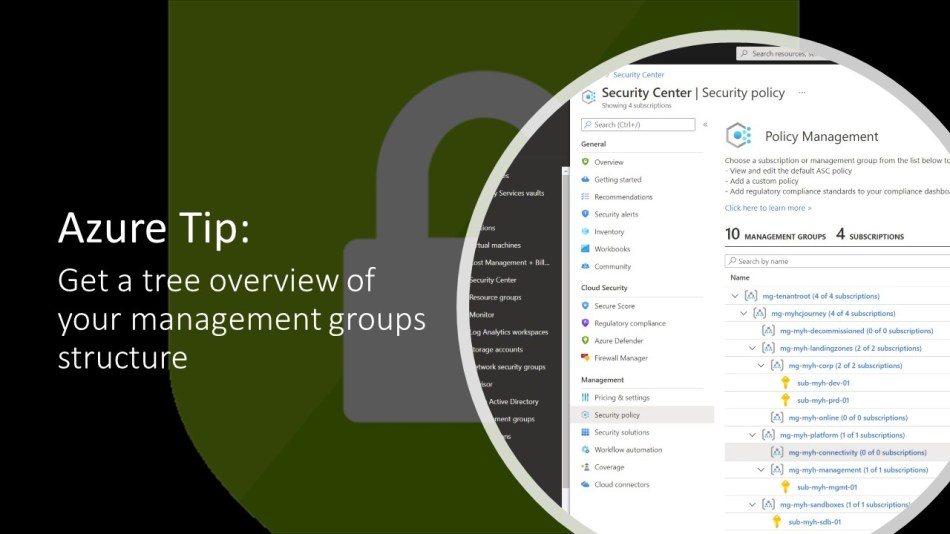
Management groups are used to effectively manage all your Azure subscriptions in an organizational or environment-based hierarchy.
However, if you have many subscriptions under an extensive management group structure (management groups can be up to six levels deep with many child management groups), it is sometimes difficult to keep a good overview.
Luckily, you can get an overview of the current management group structure by using Azure Security Center.
How to get a management group overview
Logon to the Azure Portal and click on Security Center in the sidebar.
In the Security Center dashboard blade, select Security Policy under the Management section.
In the Policy management screen, you can now see the number of management groups, subscriptions, and workspaces as well as a representation of your management group structure in a tree view. And of course you can also manage your security polices from here.

But these days there is also another and even faster way. Type in management into the global search bar and select Management groups.
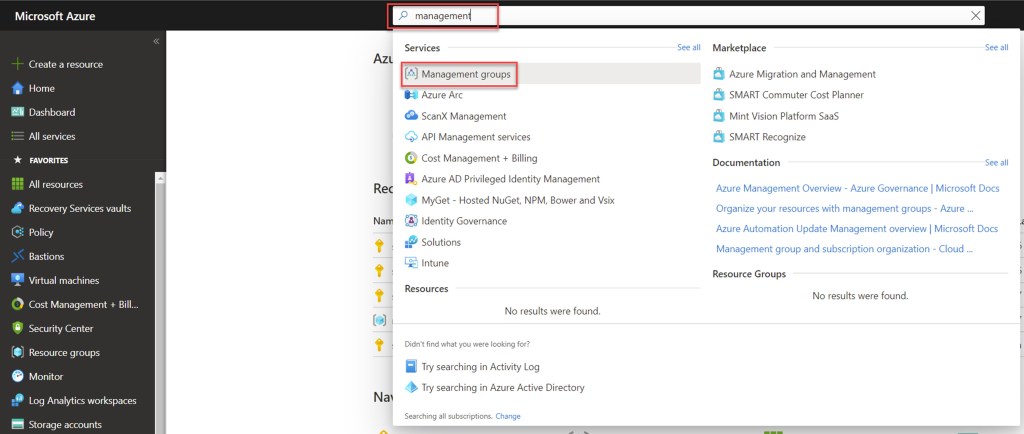
When the Management groups window opens you can now also get a tree overview from here.

If you need a more holistic overview of your technical Azure governance implementation and this down to the Subscription level, you can also use Azure Governance Visualizer (AzGovViz). It is a PowerShell script that captures most relevant Azure governance capabilities such as Azure Policy, RBAC and Blueprints, and by this helps you connecting the dots of your governance hierarchy.
Hope it helps and comes in handy!
 Wim Matthyssen
Pingback: Azure PowerShell script: Create a management group tree hierarchy – Wim Matthyssen